
Plan your projects and engineers smarter.
From work package to weekly schedule: bsmartr assigns the work to the right people (engineers, technicians or consultants), taking their calendar, leave, fixed duties, travel time and expertise into account.
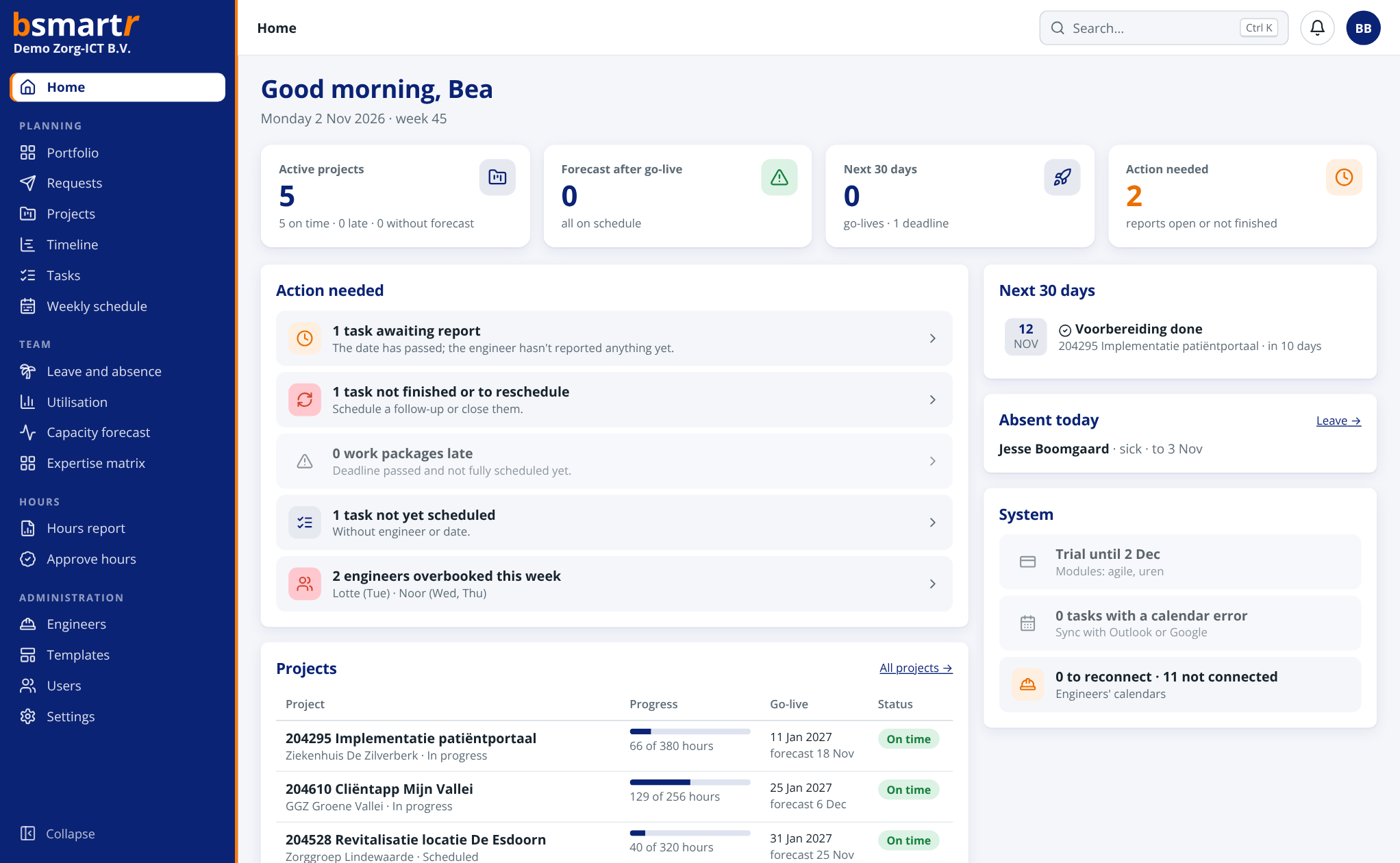
From scattered calendars to one smart plan.
Projects overlap. Engineers have different areas of expertise. Calendars change and travel time counts. With bsmartr, those pieces of the puzzle come together in one planning environment.
So the planner sees more quickly where there is room, who suits a task and what the impact is on the schedule and the project forecast.
View all features →Speaks the language of your organisation.
In engineering it is an engineer, at an installer a technician and at a consultancy a consultant. Choose your industry and bsmartr uses your words, task codes and expertise.
IT service provider
engineers · customers · go-live
02Internal IT department
engineers · departments
03Engineering and industrial technology
disciplines · commissioning
04Building services installation
technicians · work orders · trades
05Maintenance or facilities
technicians · work orders · departments
06Advisory and consultancy
consultants · engagements · deliverables
07Creative and digital agency
team members · disciplines · launch
Everything for a workable plan.
From project structure to day-to-day delivery: everyone works with the same up-to-date information.
Project planning
Work with projects, work packages, task packages, budgets and forecasts.
More about project planning → ▤02 / WEEKLY SCHEDULEVisual planning
Drag tasks to another day or engineer and see the available capacity straight away.
More about the weekly schedule → ✣03 / SMART SUGGESTIONSThe right match
Take expertise, skill level, availability and travel time into account.
More about smart planning → ↔04 / INTEGRATIONSOutlook integration
Align appointments, free/busy and leave with the calendar, and log hours directly from Outlook.
More about Outlook → ⏱05 / TRAVEL TIMETravel time and traffic
Travel time to and from every appointment appears in the calendar automatically, with navigation and an alert when there is traffic.
More about travel time → ⇄06 / INTEGRATIONSIntegrations
Microsoft Teams, TOPdesk, Exact Online, single sign-on and an open API with webhooks.
All integrations →In control of hours, capacity and margin.
The latest in bsmartr: know who has room, what a project earns and let the customer follow along.
Availability per person
Free hours per person per week or month, up to 12 months ahead. After leave, fixed duties, calendar and scheduled work.
More about availability →€FINANCIALProject margin
Cost price per person, time and materials or fixed price per project. See the margin budgeted, to date and expected.
More about project margin →🔗CUSTOMER CONTACTLet the customer follow along
A personal link to the status report, without an account. Always up to date, and revocable at any time.
More about sharing →▤PORTFOLIOGantt chart of all projects
All projects on one timeline, with progress, go-live and forecast. What overruns turns red.
More about the Gantt chart →See the plan at every level.
View the full overview, zoom in on a project or work package and keep track of progress and hours.
Explore everything it can do →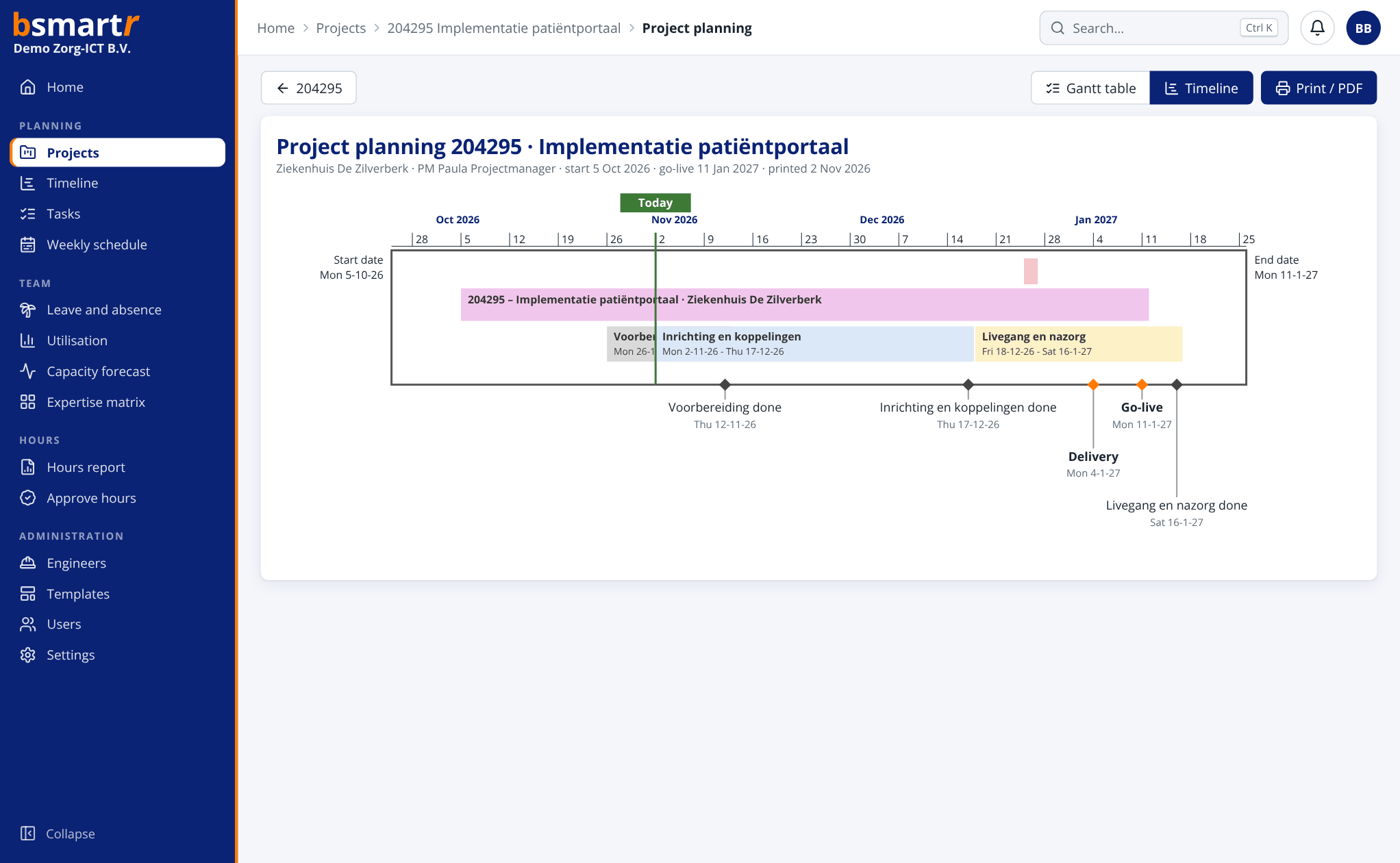
Make plans that
actually work.
Find out what bsmartr can do for your project organisation.