01 / PROJECTS
Projects and work packages.
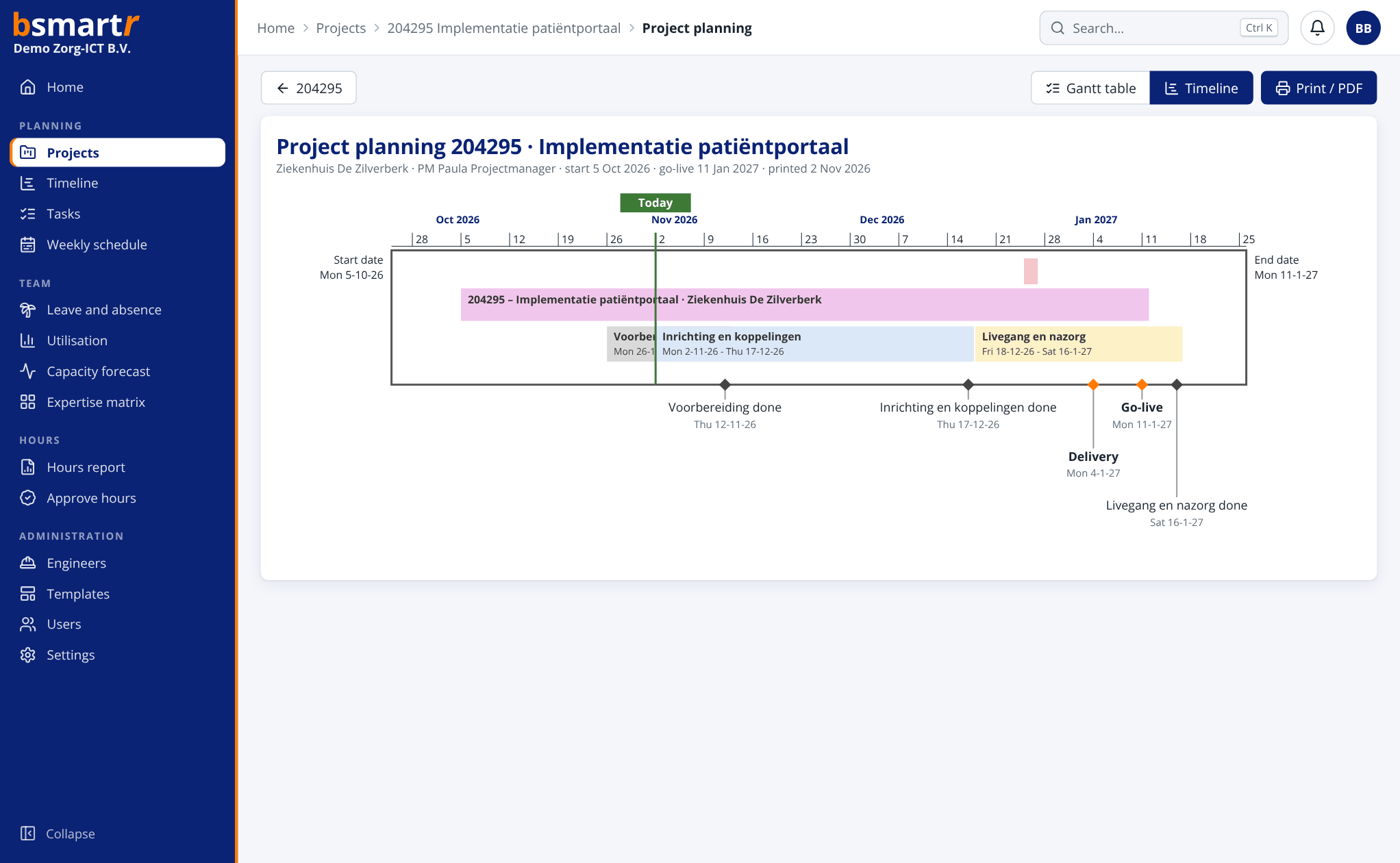
Record projects and break the work down into work packages and task packages. Use templates and dependencies to add structure. Track hours per expertise and see the forecast end date.
View project planning →

In bsmartr, project structure, engineer planning, capacity and calendars come together in one clear workflow.
Record projects and break the work down into work packages and task packages. Use templates and dependencies to add structure. Track hours per expertise and see the forecast end date.
View project planning →Move tasks to another day or engineer with ease. The colour coding shows where there is room, where it is filling up and when someone is absent. Undo included.
View the weekly schedule →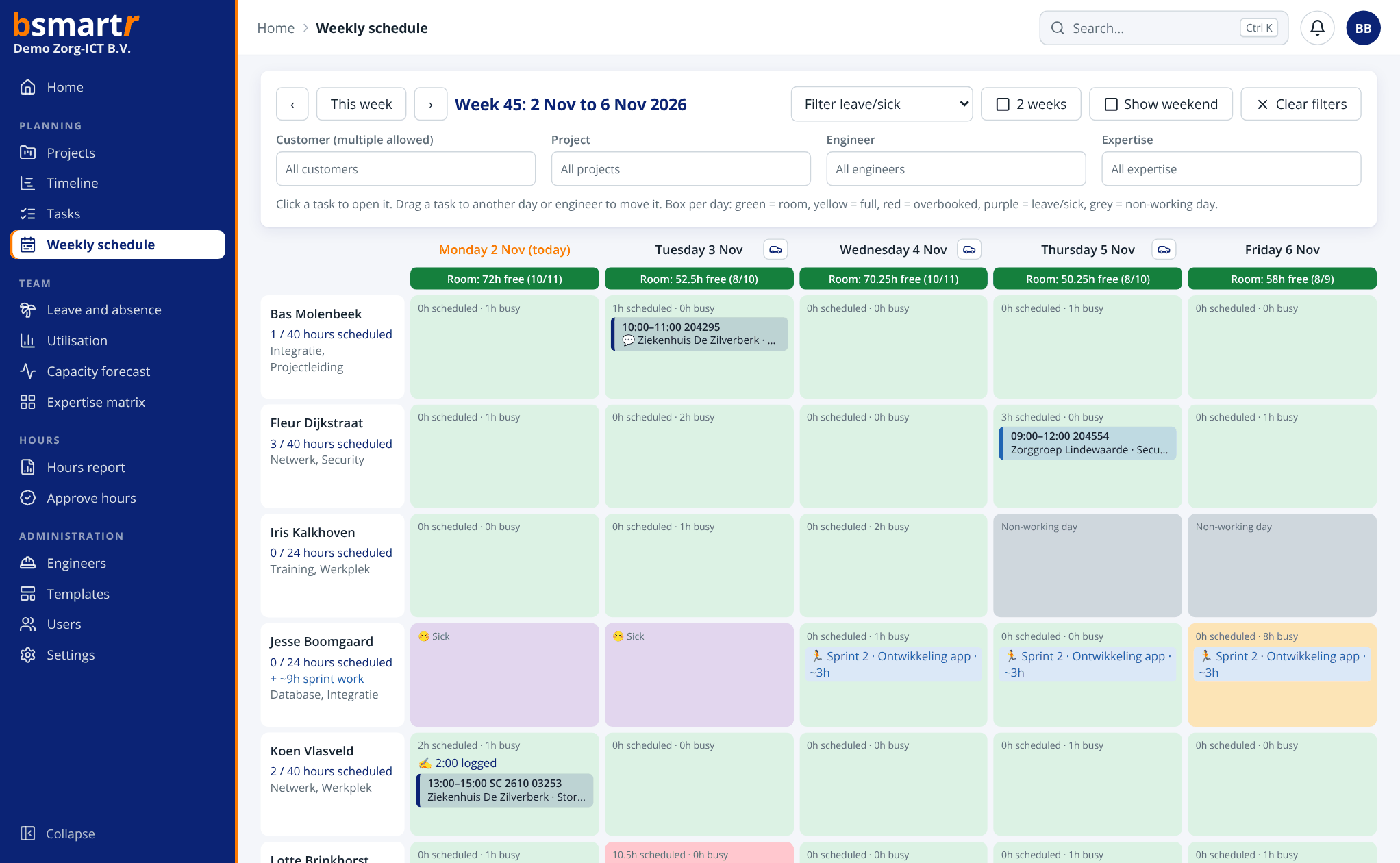
The smart suggestion takes into account skill level, availability, travel time and whether an engineer is already nearby. The calendar sits next to the task planning.
More about smart planning →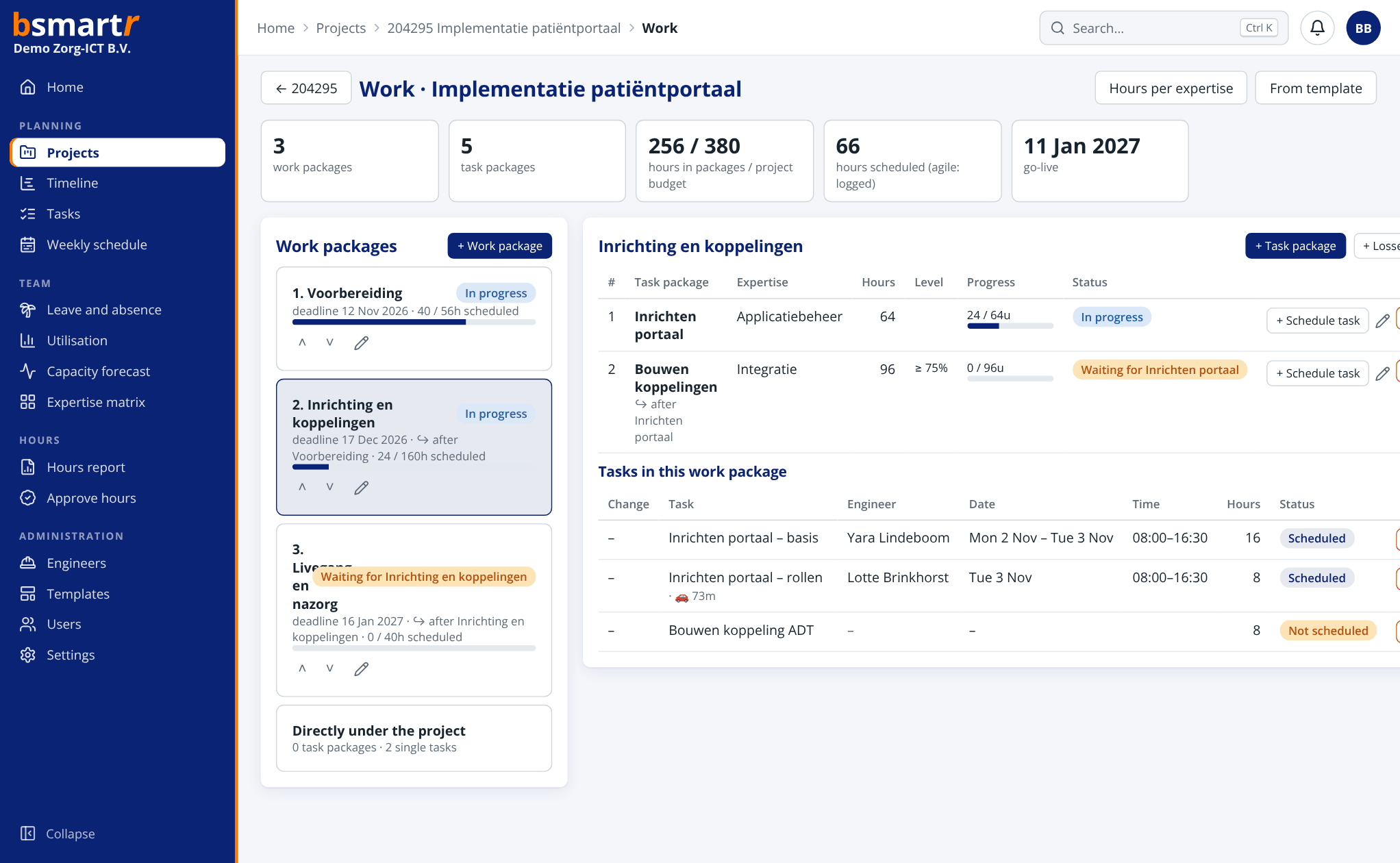
Planned tasks appear automatically in the engineer’s calendar, with the address and buttons at the bottom: Log hours, Report back and Navigate. If the engineer moves an appointment in Outlook, the plan follows. Free/busy, leave and public holidays sync too. Works with Microsoft 365, Outlook.com, Google Calendar and Apple iCloud or another CalDAV calendar.
More about the calendar integration →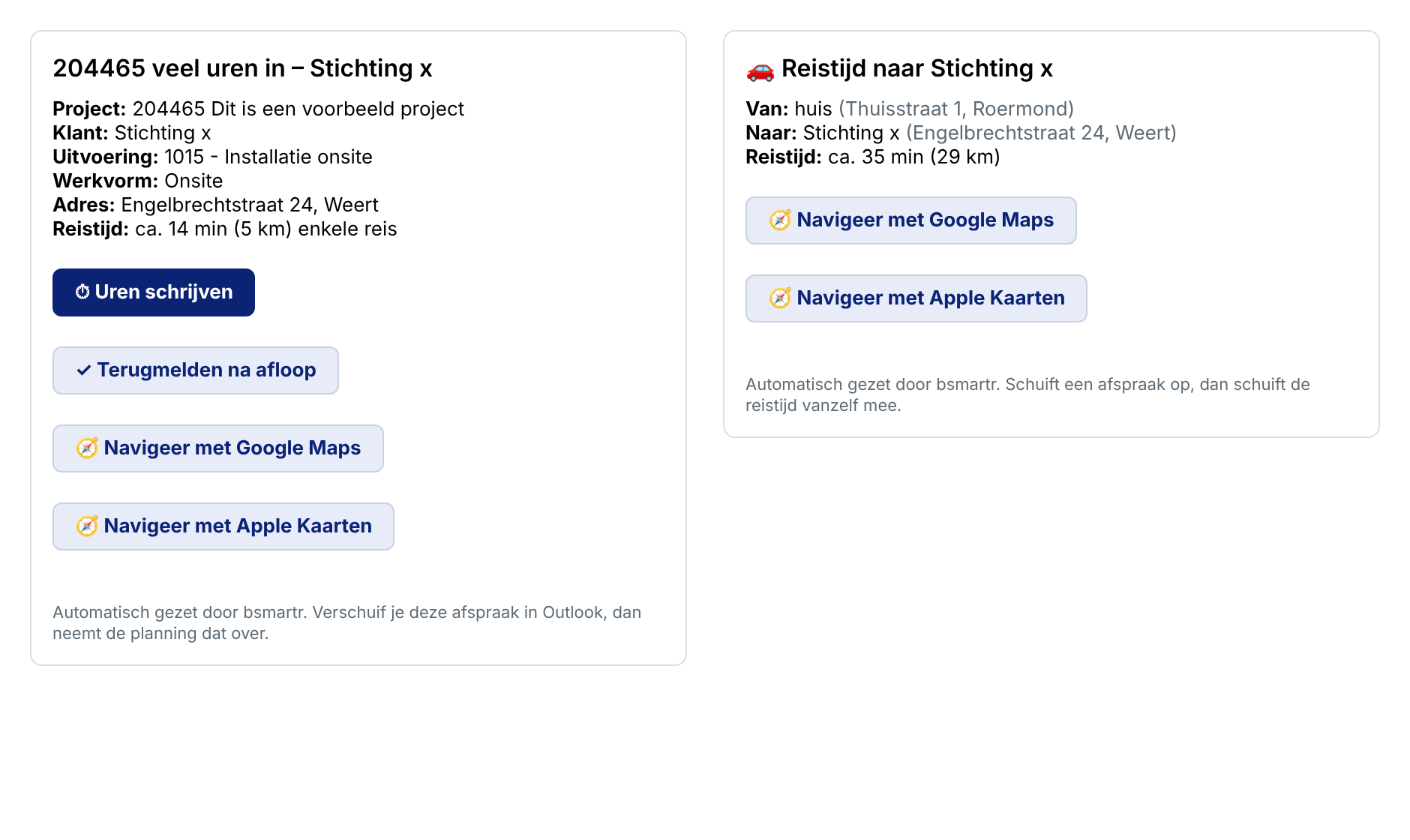
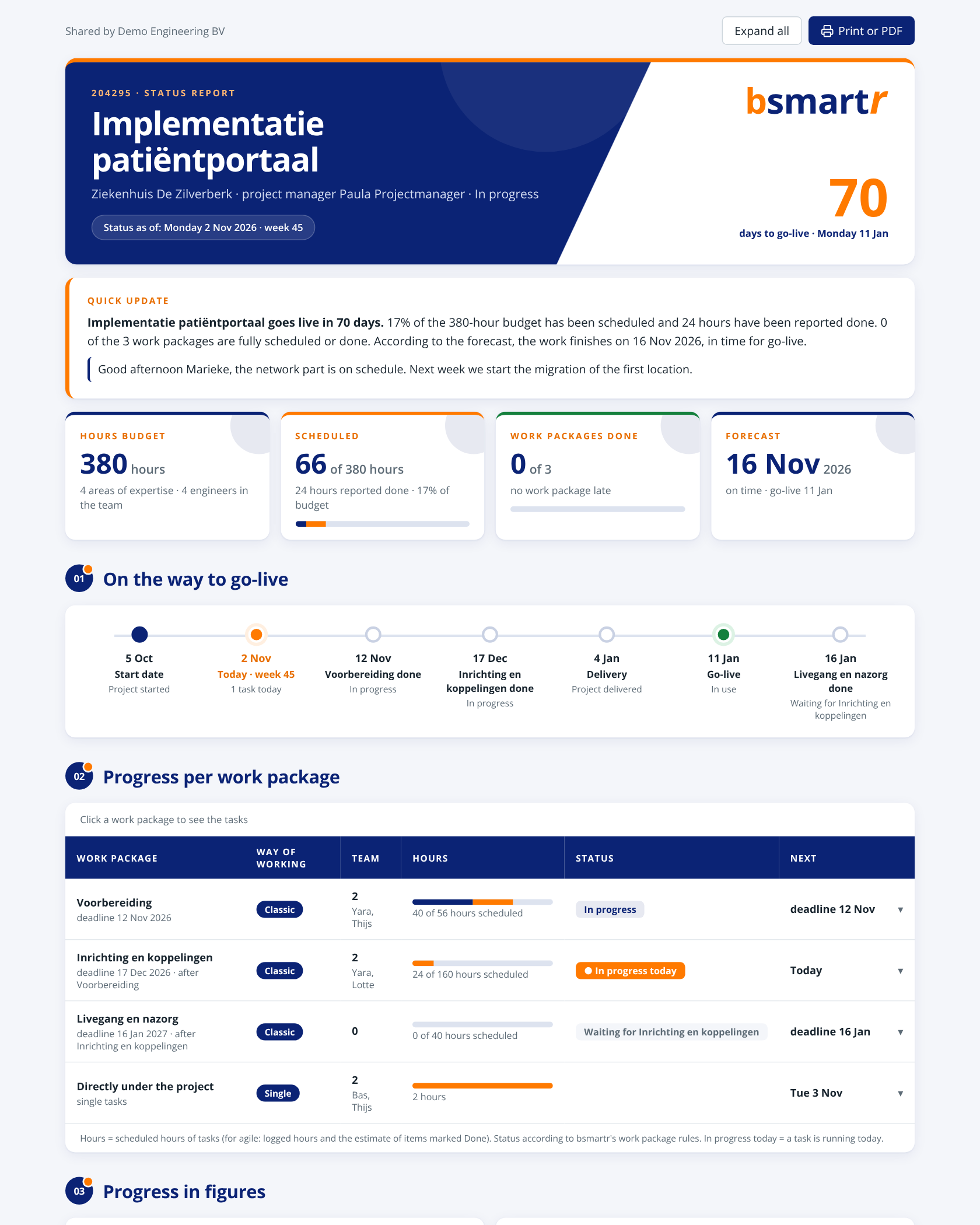
View the timeline of all projects, project planning in MS Project style, utilisation per week and the expertise matrix with coverage. Create a status report per project in one click, ready to share or save as a PDF.

Choose per work package whether you work classically or agile. Plan sprints with points and focus blocks, track burndown and velocity and see the forecast straight away. Sprint planning, review and retro go into the calendar automatically.

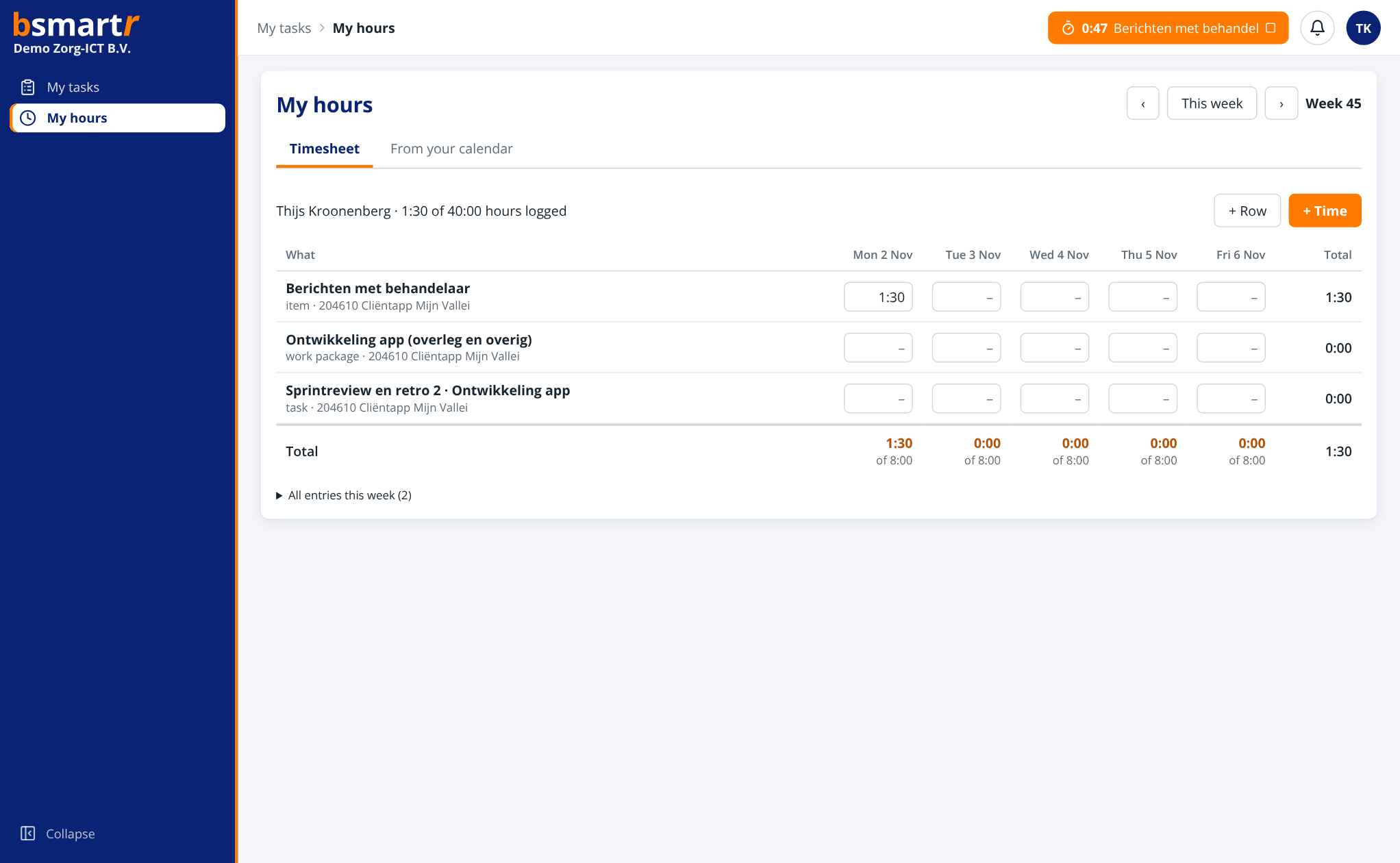
Engineers start a timer from their task or sprint item, fill in a timesheet or copy appointments from their calendar. With the Outlook add-in you log time directly from an appointment in Outlook. When you create a new appointment you choose the project: bsmartr fills in the appointment, and when you stop the timer the actual start and end times are recorded; reporting back takes a single tap from the calendar. Project managers approve the hours and see the budget up to date.
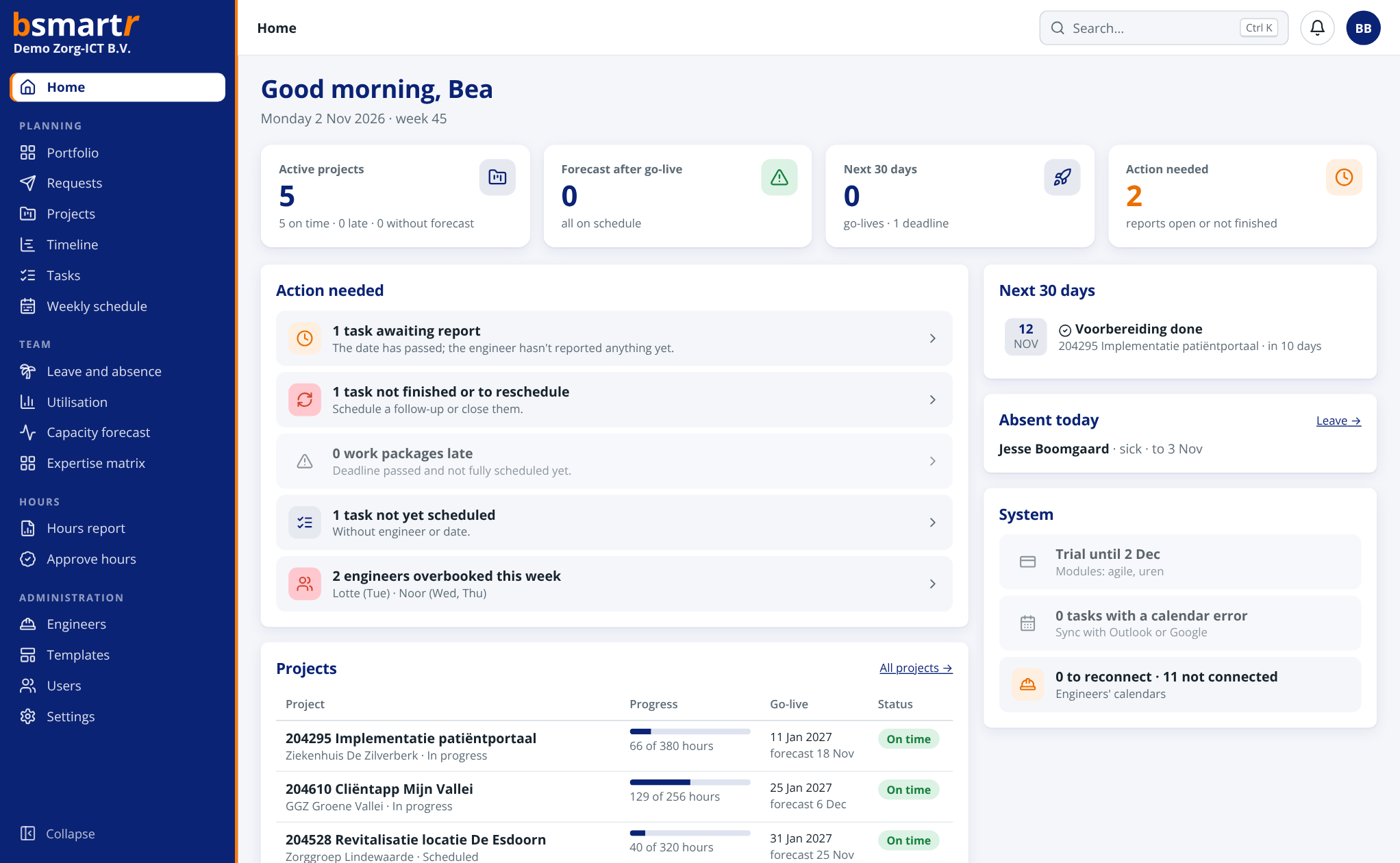
The home screen shows each role what needs attention: reports back, work packages running late, overbooked engineers and go-lives. Press Ctrl+K to jump straight to any project, task or change number. Also available in your own branding and in dark mode.
For on-site work, bsmartr adds the travel time to the calendar as a separate appointment: from home to the first customer, from customer to customer and back home again. If an appointment moves, the travel time moves with it. With the Traffic alerts module, today’s travel time is checked live: if there is a traffic jam, the journey starts earlier and the engineer sees the delay in their calendar straight away.
More about travel time →
Connect bsmartr to Microsoft Teams, TOPdesk and Exact Online. Changes and incidents come in as tasks, and approved hours go back for invoicing. With the API and webhooks you can build your own integrations, for example with Power Automate. All in one place under Settings › Advanced.
All integrations →
Staff sign in with Microsoft, Google or single sign-on via SAML (for example Okta or Google Workspace). Verify your domain, make SSO mandatory and assign roles automatically based on groups. Every change is recorded in the audit log.

The capacity forecast sets demand against supply per expertise and per month: what is already planned, the budget still to be scheduled and, if you wish, the quotes. Schedule work as provisional without it appearing in the engineer’s calendar yet. With scenarios you calculate what happens if a quote is accepted, a project moves or you hire someone in, and apply it all in one go.

With the Dashboards module you build your own dashboard from tiles: key figures, charts of utilisation and capacity, budget per project and upcoming go-lives. Drag the tiles into place, choose their width and share the dashboard with your colleagues.

Does an engineer have several customers in one day? In one click, bsmartr finds a shorter order and, if you wish, redistributes appointments between engineers with the right expertise. You see how many minutes and kilometres you save. It remains a proposal: the planner decides, and the calendars are updated automatically.

Bring over engineers with their expertise, users and roles, projects with budgets, and leave in one go from Excel or another system. Download the template, fill it in and upload it. You first see per row what will happen: new, update, or an error with the reason. Nothing changes until you click Import.

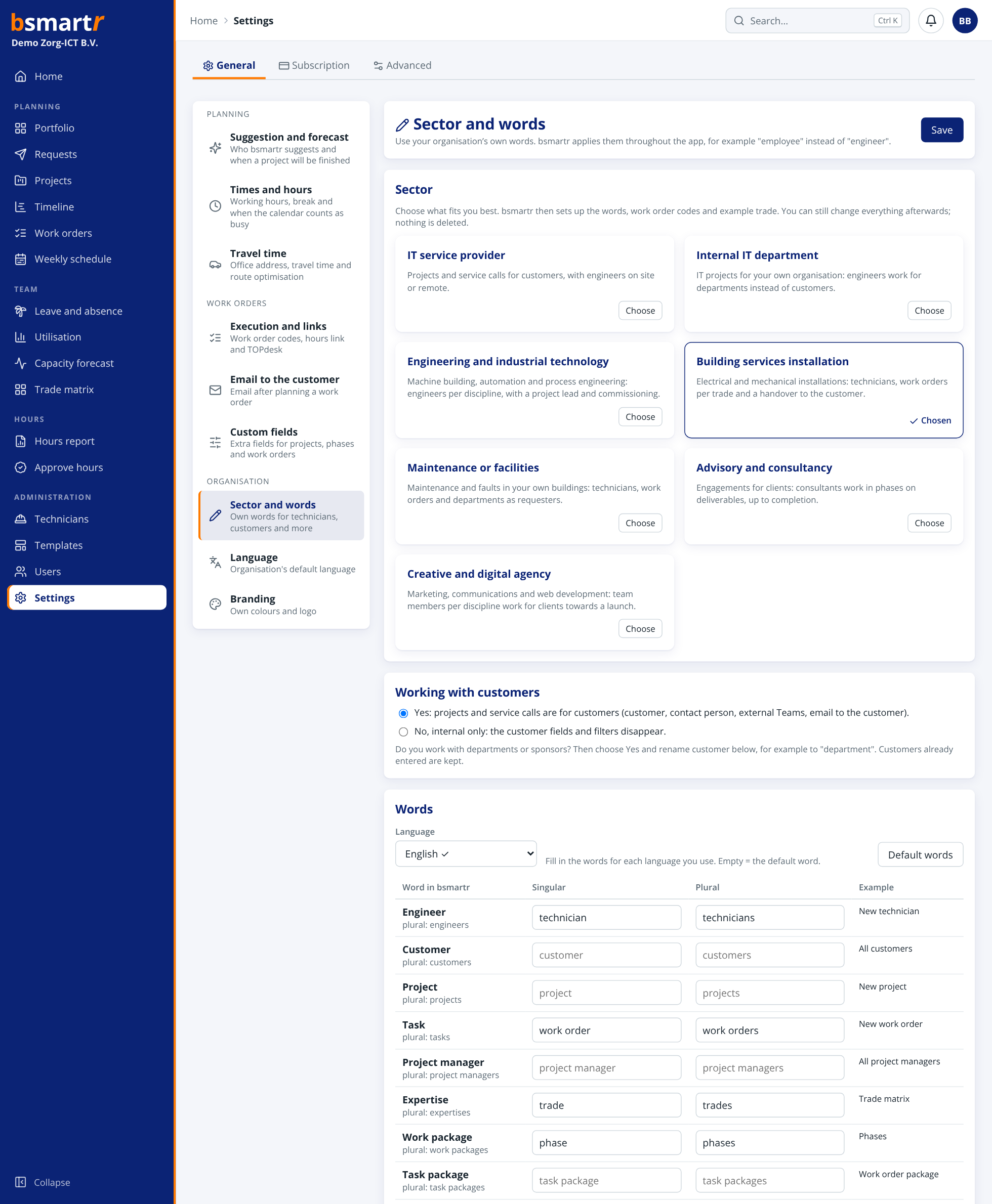
Choose your sector: IT service provider, internal IT, engineering and industrial technology, building services installation, maintenance or facilities, advisory and consultancy, or a creative and digital agency. bsmartr sets up the words, task codes and example expertise: a technician with work orders, a consultant with engagements, an engineer with commissioning. Every word can still be changed, per language. Only working internally, or is one project internal? Then the customer fields disappear.
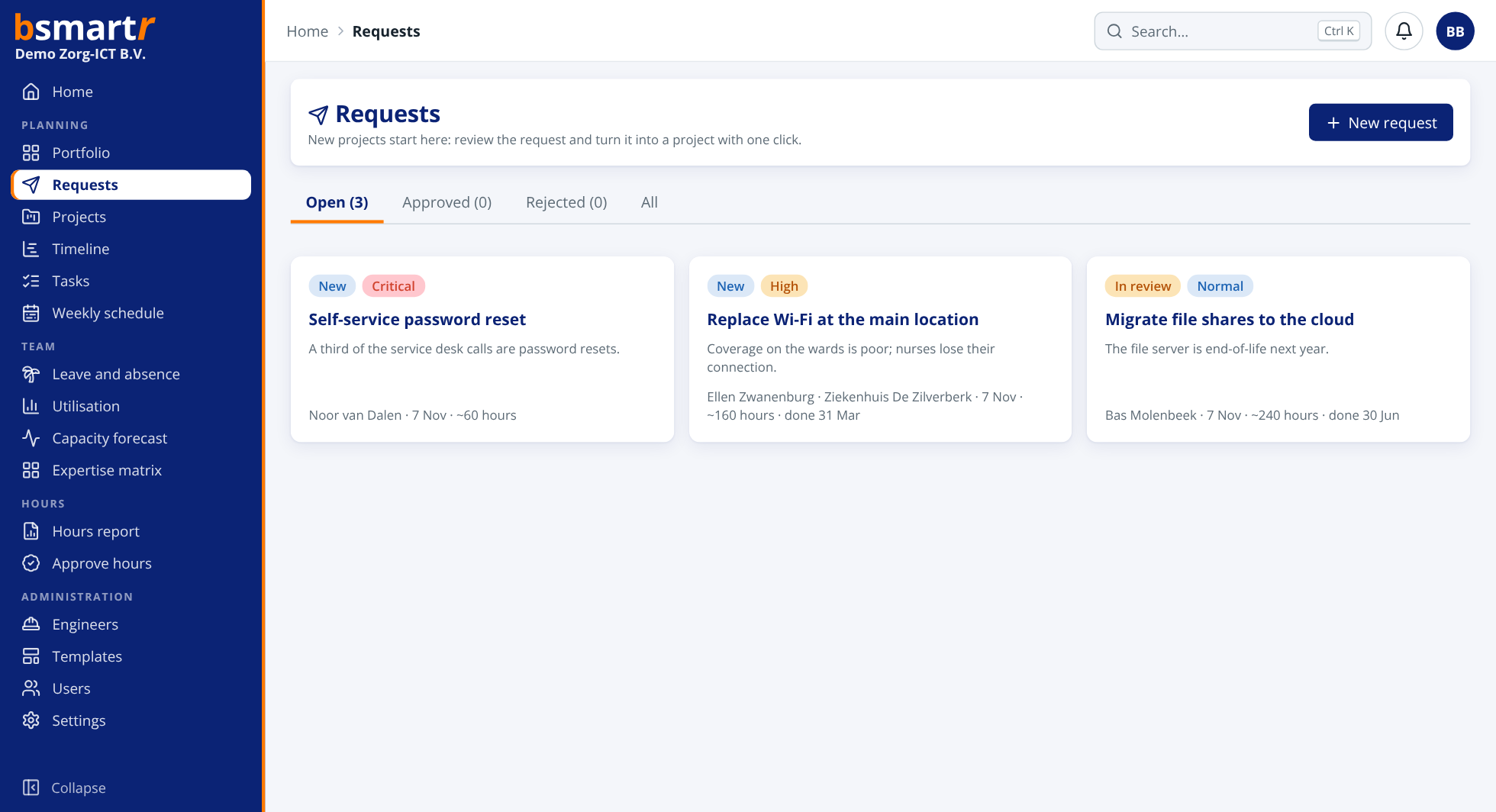
Anyone with an account submits a project request: what needs to happen, why, when and roughly how many hours. The administrator, planner or project manager reviews it and turns it into a project with one click, or rejects it with a reason the requester can see.
The portfolio lists all running projects by priority, with budget, progress and forecast. Per quarter you see the supply against scheduled work, budget not yet scheduled and open requests. Management knows straight away whether there is room for something new, or what has to give.

Hardly anyone works on projects only. Record fixed work per person, such as the service desk on Monday and Tuesday or a quarter of the day on maintenance. Those hours are deducted from the available time in the weekly schedule, utilisation, suggestions and forecast.
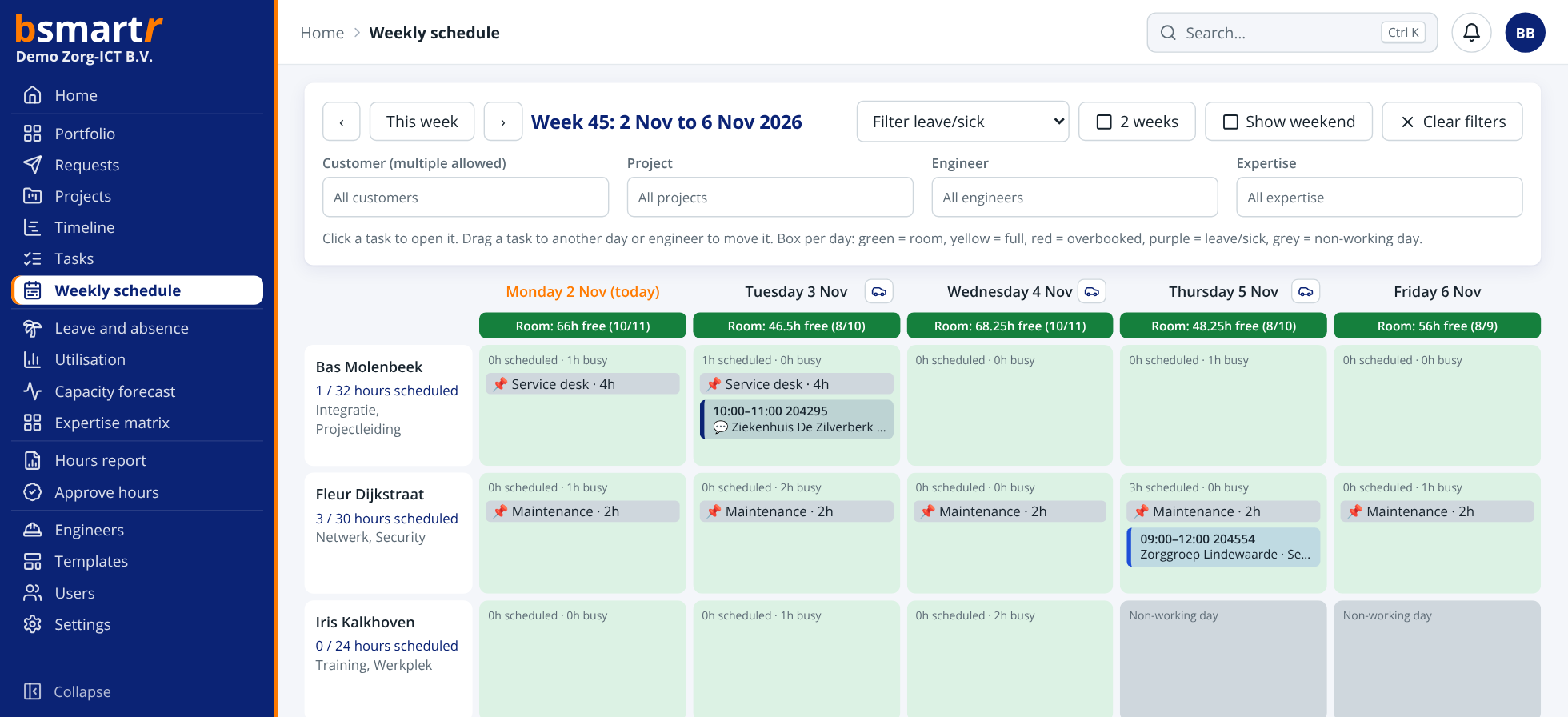
After you plan a task, an email to the contact person is ready, with date, time, engineer and address. Send it from your own email program or let bsmartr send it. Work at the weekend or on a day off stands out straight away in the weekly schedule.

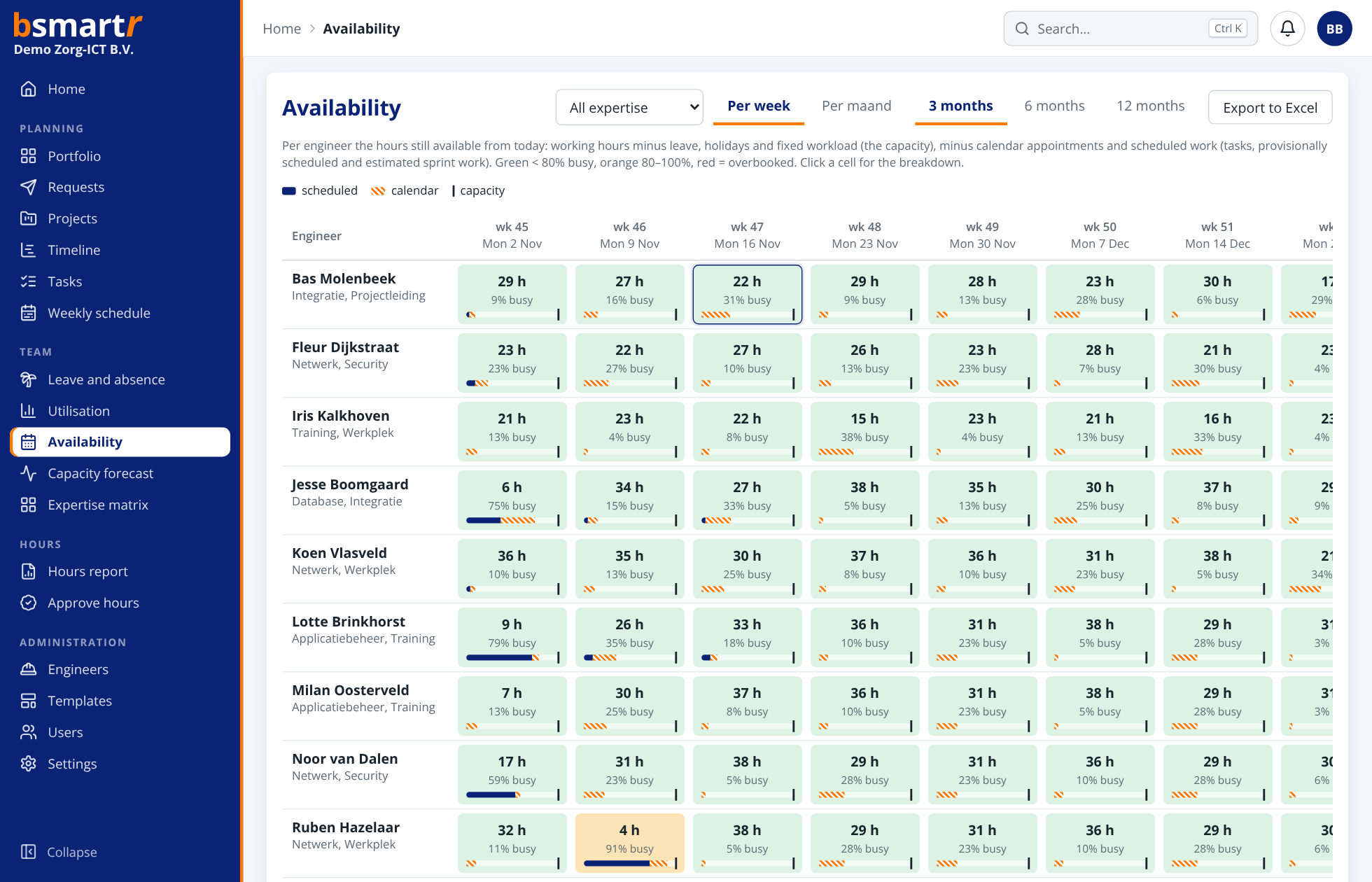
Per person the hours still free, per week or per month, 3, 6 or 12 months ahead. Leave, holidays, fixed duties, calendar appointments and scheduled work are already deducted. Click a cell for the breakdown, filter by expertise and export to Excel. When a new assignment comes in, you see straight away who can do it when.
Record an internal cost price per person and an hourly rate or fixed price per project, plus any external costs. bsmartr calculates the margin: budgeted, to date based on logged hours, and expected to the end of the budget. The portfolio shows the expected margin of all projects. Only administrators and project managers see the amounts.

Create a personal link for the customer from the project report. They open the report without an account: milestones, progress per work package and the forecast, in your branding and with a message from the project manager. Choose whether the customer sees hours, names and points of attention. A link expires by itself, can always be revoked and you see how often it has been viewed.
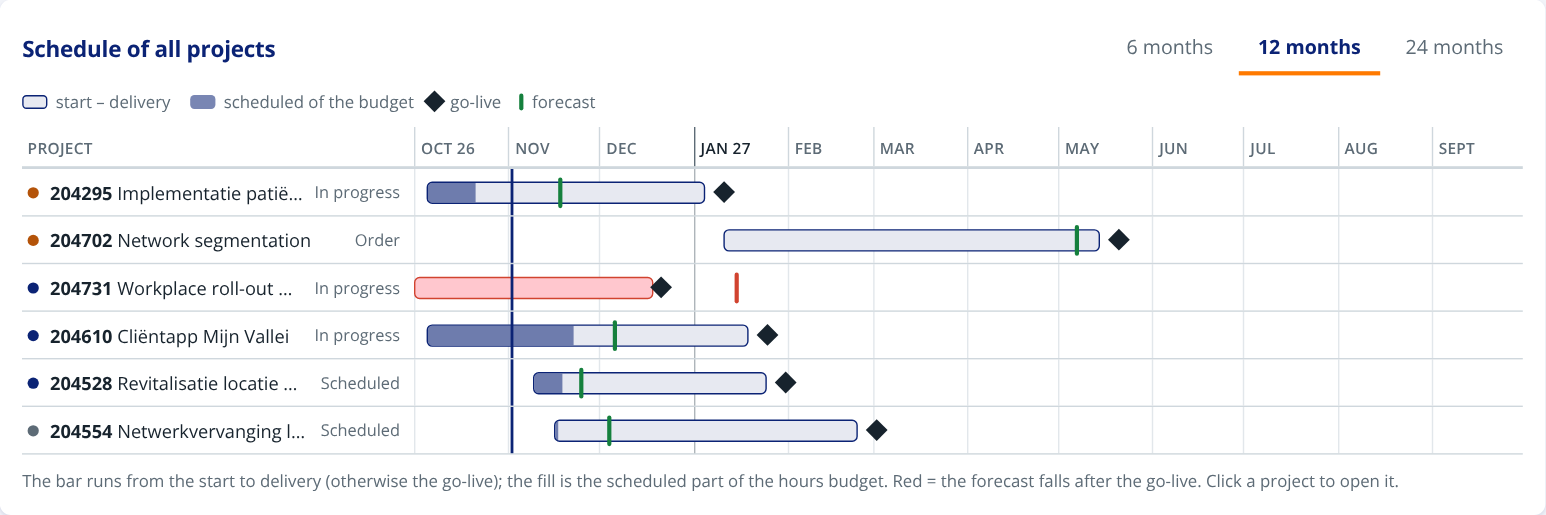
Below the portfolio is a Gantt chart of all running projects: a bar from start to delivery, filled with the scheduled part of the budget, with the go-live and the forecast. Projects that overrun turn red. Choose 6, 12 or 24 months and click through to the project.